Payroll
Pay is not typed in by hand: the portal works it out from the compensation plan and the actual scorecard numbers — base pay, revenue at the tier percentage, upsells at their own.

Portal
The portal comes with the work: every client gets access. Everything lives there: mission and values, daily numbers, scripts, training, call reviews and meetings. You see the same numbers we do — every day, not once a month.
Below are the sections as your sales rep sees them. The portal is our own, not off-the-shelf: new sections appear when a client needs one, not when a vendor ships a release.
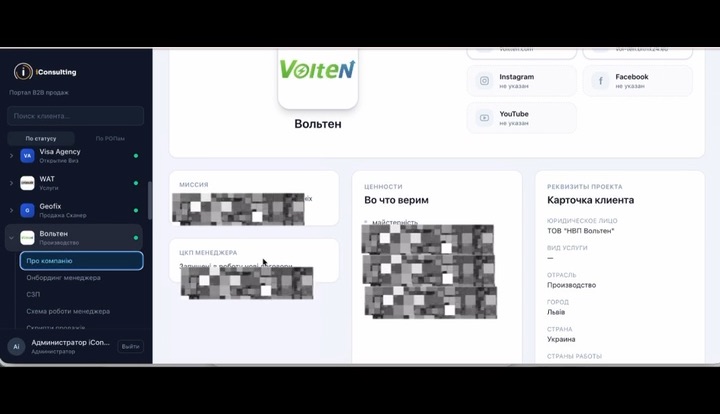
What reps usually do not know: why the company exists, what it believes, where it beats the competition and what each role is accountable for. Now it sits in one place — a new hire reads it on day one instead of piecing it together from chats and hearsay.
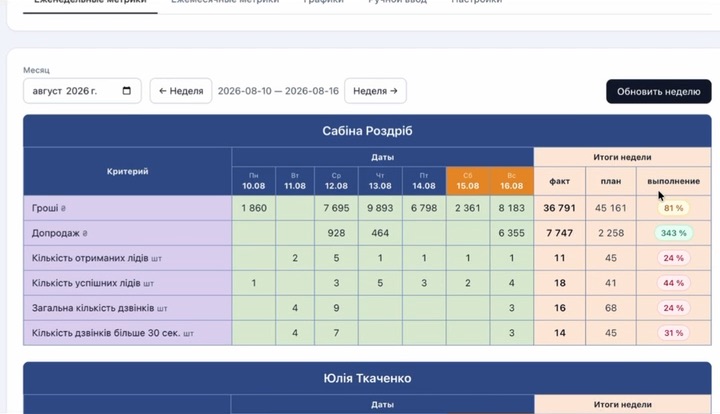
The company quota is split by rep, by week and by day, and beside it you see what those sales depend on: calls, leads, meetings, average deal size. The numbers pull from your CRM and phone system on their own — every night, with nobody chasing them.
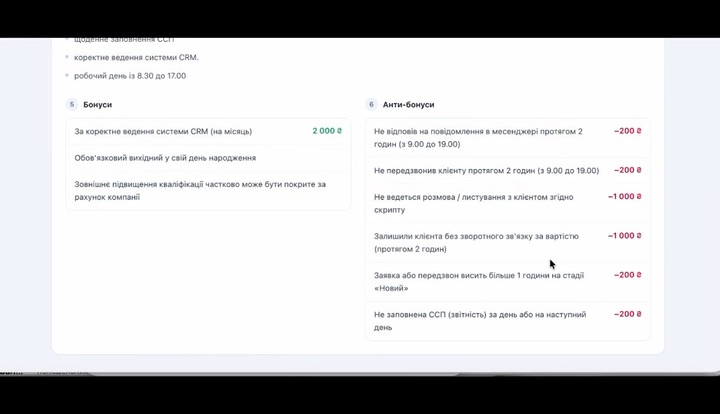
Base pay, the monthly target and the bonus as a table — and beside them the duties the base pay covers and the penalties: for leaving a client without an answer, for going off script, for reports left unfilled. The agreement is written down from both sides — you can hold a rep to the very document you pay them by.
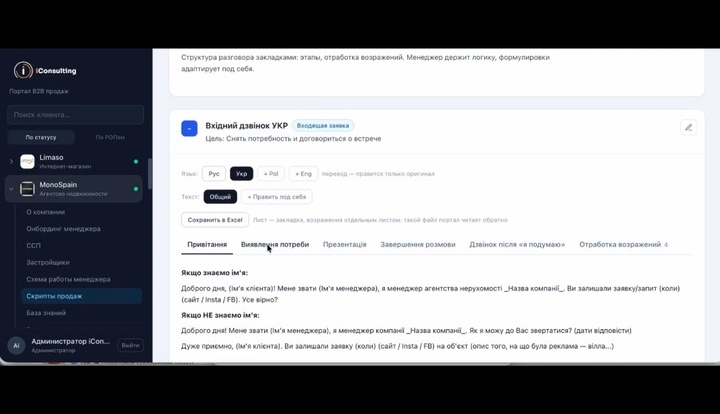
Tabs for every stage of the call, objections as a table, translations into the client's language. A rep keeps their own version — and the director sees exactly what they changed, side by side with the shared one.
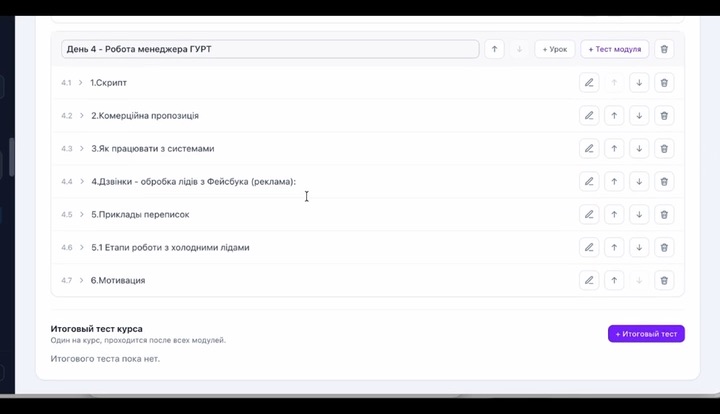
Courses with lessons and tests: a candidate takes them from a link, before they have any access to the portal. Certification scores theory and practice separately — material learned by heart does not make up for a call that went wrong.
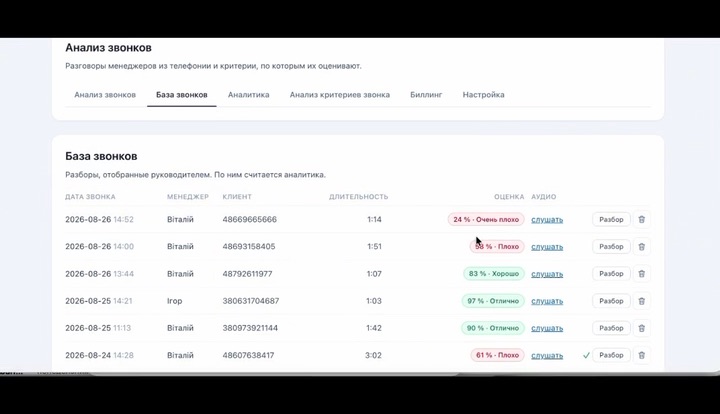
AI listens to the call and scores it against your own checklist — with a quote from the recording for every item. The director reads the weekly summary and sees which item the team fails again and again, instead of sitting through two hundred recordings.
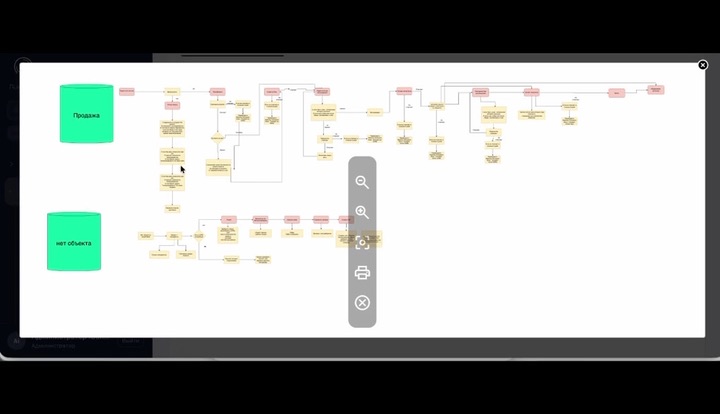
The team's process is drawn as a diagram: who does what, at which stage and what they hand on. The diagram is kept in draw.io, the portal holds a copy and shows it right there — no more arguing over “who was supposed to call”.
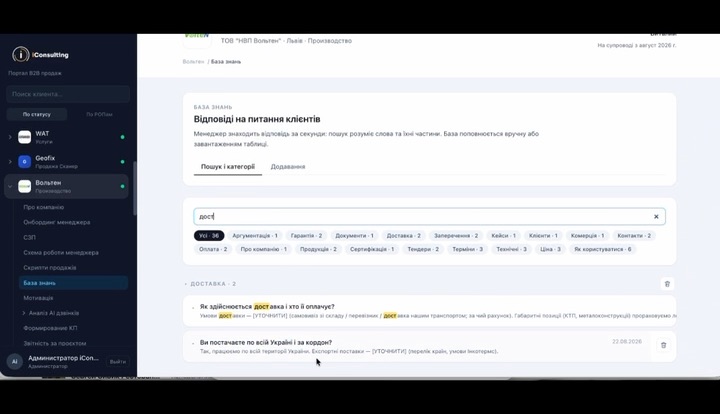
Company articles by category, with translations next to the original: terms, warranties, the questions clients ask most, agreements with suppliers. The things that usually live in a chat and are lost there forever.
Pay is not typed in by hand: the portal works it out from the compensation plan and the actual scorecard numbers — base pay, revenue at the tier percentage, upsells at their own.
A board by stage, checklists, files, discussion. Recurring tasks lay themselves out across the week's calendar.
Review meetings, Zoom calls with clients and sessions with a mentor. AI scores the Zoom calls too — against a separate set of criteria.
These sections exist in the portal, but not everyone needs them — we switch them on when a job calls for them.
A lead that arrives at night or at the weekend gets a WhatsApp message in the client's language — during the day the rep answers them personally.
AI calls out from your own number, records the conversation, scores it and pulls the data out of it.
Line items are entered once — the portal prints both the proposal and the invoice from its own numbers.
Your price next to the marketplace price, the gap in money and in percent.
Three things people ask on every review call: what the portal connects to, who sees what in it and which language it speaks.
The keys sit in the portal and the requests go from the server — they never reach the browser.
 Bitrix24
 NetHunt
 Pipedrive
 KeyCRM
 Planfix
 Ringostat
 UniTalk
 WhatsApp
 Zoom
 1C reports by email
Everything: companies, access, money, settings.
Their whole company, new sections included. Everything except project reporting.
Only the sections opened to them. Their own numbers, their own script, their own training.
The database checks permissions, not the interface: what is closed will not show up, even if you open the link directly.
Each person switches the language themselves: a single team can have several native languages, and the portal must not be switched for everyone because of one of them. Section texts are translated by a model and read over by a person — the machine gets names and our own terms wrong.
The same 8 sections in motion — the way they are used every day. Swipe it with your finger or use the arrows.
With a fractional sales director the portal comes free. On its own — a monthly subscription, with no setup fee.
Included in the service
Free
69 € / mo
99 € / mo
139 € / mo
In the review we show the portal live — on data close to yours. 45 minutes, free.